
Blog
Office Automation Course in Karachi: Essential Skills for Modern Workplaces
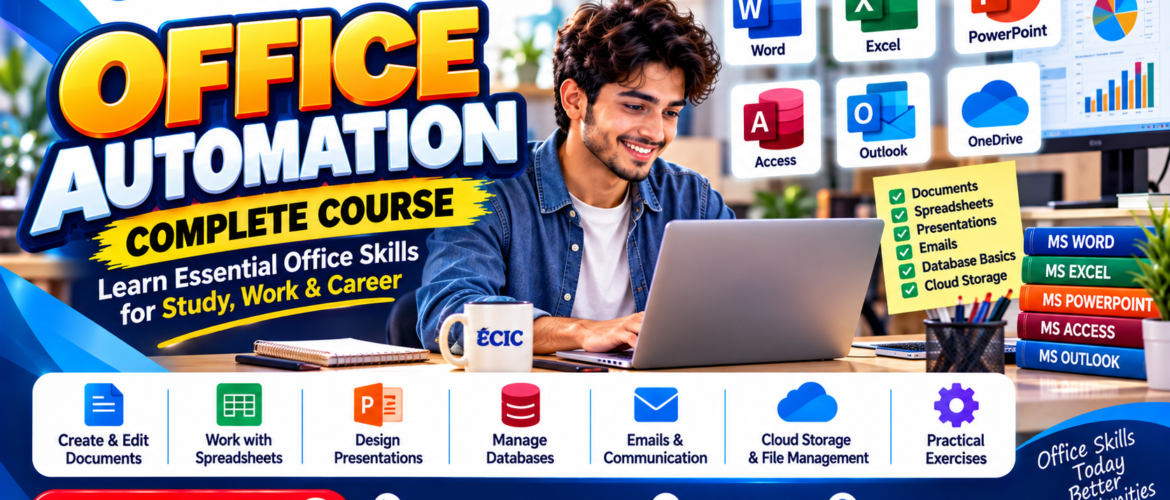
From preparing business letters to maintaining spreadsheets and coordinating meetings, everyday office work depends on reliable digital skills. Office automation is the practical use of software and organized processes to complete these tasks accurately, consistently and with less repetitive effort.
For students, fresh graduates and professionals in Karachi, learning office automation can be a useful starting point for administrative and computer-based work. This guide explains the skills that matter, how they fit together in a real office workflow, and how to practise them through meaningful projects.
What Is Office Automation?
Office automation combines common workplace applications with efficient ways of managing information. It includes writing documents, working with spreadsheet data, building presentations, communicating by email, arranging files and tracking routine tasks. The goal is not simply to use a computer faster; it is to produce work that another person can understand, check and continue.
Consider a small training institute or business office. A single weekly reporting task might involve collecting attendance, updating expenses, drafting a summary, emailing a manager and filing the approved report. When these activities follow a consistent process, information is easier to find and mistakes are easier to correct.
Six Essential Office Automation Skills
1. Organizing Files and Daily Office Work
Good digital organization is the foundation of a productive office. Learn to create a logical folder structure, use descriptive file names, manage document versions and maintain a daily task tracker. For example, a folder named 2026-October-Reports is more useful than one named New Folder (3). A simple tracker can record the task, responsible person, deadline and current status.
2. Creating Professional Business Documents
Office staff frequently prepare letters, memos, meeting minutes, notices and internal reports. Word-processing skills include clear headings, consistent formatting, tables, page numbering, proofreading and saving files in suitable formats. The best document is not the one with the most decoration; it is the one that communicates its purpose clearly.
Practice task: Prepare a one-page meeting agenda and a set of meeting minutes. Use a consistent heading style and record decisions, action owners and deadlines.
3. Using Excel for Everyday Office Data
Spreadsheets are valuable for attendance records, expense tracking, stock lists and basic summaries. Start with clean data entry, sorting, filtering, simple formulas and readable tables. Then practise checking totals and identifying missing or duplicate entries. In a monthly expense sheet, separate dates, categories, descriptions and amounts into distinct columns so the information can be reviewed later.
Practice task: Build an attendance register and a monthly expense workbook. Add totals and test whether the calculations still work when new rows are added.
4. Preparing Presentations and Reports
A useful presentation turns detailed information into a short, understandable message. Learn to structure slides around a clear purpose, select readable fonts, use charts only when they clarify data and finish with next steps. For written reports, use an introduction, findings and action points. Check that numbers in the slides match the original spreadsheet.
5. Managing Email, Calendars and Collaboration
Professional communication is part of office automation. Practise writing informative subject lines, choosing the correct recipients, attaching the right files and using a respectful tone. Calendar skills help teams arrange meetings and avoid scheduling conflicts. Shared documents and clear handover notes reduce confusion when work moves between colleagues.
Practice task: Draft an appointment confirmation, a follow-up email and a polite request for missing information. Create a meeting agenda and a checklist for sharing the final documents.
6. Connecting Tasks into One Workflow
The real benefit appears when individual skills work together. Imagine preparing a monthly office pack: collect records in a spreadsheet, calculate totals, write a brief report, create a three-slide presentation and send the completed files with a clear email. Save everything in a structured folder with meaningful names. This integrated approach helps demonstrate practical ability rather than familiarity with isolated software buttons.
A Simple Office Automation Workflow You Can Practise
- Collect: Gather attendance or expense data in one spreadsheet with consistent columns.
- Check: Review entries for errors, missing values and duplicate records.
- Summarize: Calculate totals and write two or three useful observations.
- Present: Create a short report or presentation for the intended reader.
- Communicate: Send the files using a clear subject line and a concise explanation.
- Archive: Save final versions in an organized folder for future reference.
Repeat this workflow with different examples until you can complete it independently. Accuracy, clarity and consistency are more valuable than rushing through a task.
Who Should Learn Office Automation?
Office automation is relevant to beginners who want confidence using workplace software, students preparing for internships, job seekers interested in administrative support, and existing employees who want to improve routine reporting and coordination. Small-business owners can also benefit from better recordkeeping and document management.
Possible applications include reception support, office administration, data entry, records maintenance and coordination. However, completing a course does not guarantee employment; outcomes depend on demonstrated skills, experience and employer requirements.
What Does ECIC’s Office Automation Course Cover?
Educator Computer Institute & College (ECIC) lists a three-month, beginner-level Office Automation course. Its published course outline includes six learning areas: office workflow, business documents, Excel for office work, presentations and reports, email/calendar collaboration, and an integrated office project.
The published outline describes practical assignments such as an attendance register, an expense workbook, business correspondence, meeting documents and a complete office pack. It also lists concept notes, guided practice, assignment briefs and knowledge checks. These activities are designed to help learners produce editable work samples they can review and improve.
Read the official ECIC Office Automation course page for the current course information and enrollment details. Confirm fees, class schedules and availability directly on the course page before making plans, as these can change.
How to Build a Small Office Skills Portfolio
A portfolio does not need to be complicated. Create a sample folder containing a formatted business letter, a meeting agenda and minutes, an attendance spreadsheet, an expense tracker, a short monthly report and a brief presentation. Use fictional or anonymized information rather than private employee or customer data.
Before sharing the folder, check spelling, spreadsheet formulas, document titles and file permissions. Add a short note explaining what each file demonstrates. A carefully reviewed collection of small projects can make your learning progress easier to explain in an interview or skills assessment.
Frequently Asked Questions
Is office automation suitable for beginners?
Yes. Office automation can begin with basic file management, document creation and data entry before progressing to integrated office tasks. ECIC’s published course is listed at beginner level.
Does office automation include Excel?
Yes. Spreadsheet work is a core part of office automation. ECIC’s course outline specifically includes attendance registers and expense workbooks.
How long is ECIC’s Office Automation course?
The current published course information lists a duration of three months.
Do I need a computer to practise?
Regular access to a computer and suitable office software is helpful. ECIC’s course information also lists internet access as a requirement for its practical activities.
Start with Skills You Can Use
Strong office automation skills come from repeated practice with realistic tasks. Begin with organized files and accurate documents, develop confidence with spreadsheets and reports, then combine those abilities into a complete office workflow. If you are exploring structured training in Karachi, ECIC’s Office Automation course provides a published outline you can review before choosing your next step.
 Google