
Blog
AI-Powered YouTube Automation and Video Editing: A Beginner’s Guide
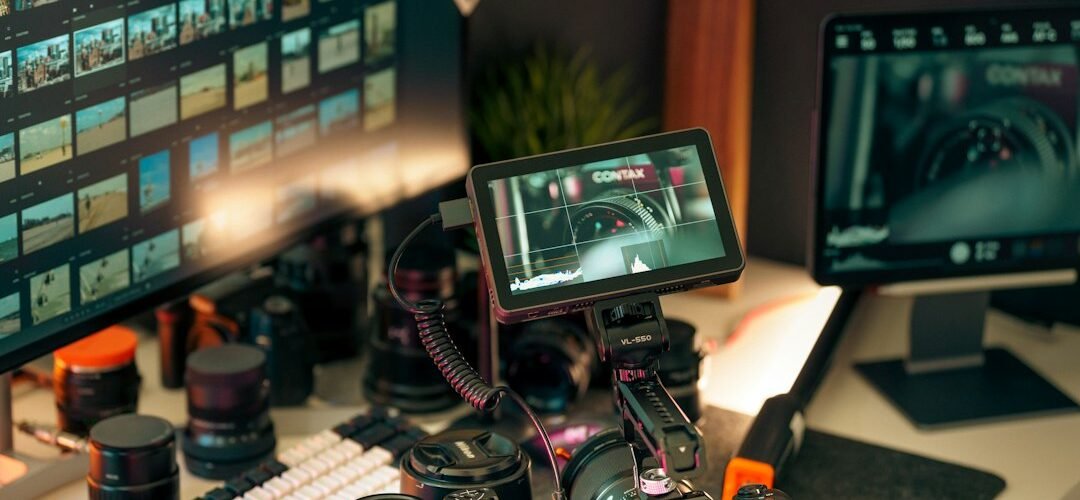
Want to start a YouTube channel but feel overwhelmed by scripting, recording, editing and publishing? AI-powered YouTube automation and video editing can make a well-planned content workflow more manageable. Artificial intelligence can assist with research, outlines, captions and repetitive editing tasks, while your creativity and fact-checking remain essential.
In this practical beginner’s guide from Educator Computer Institute and College (ECIC), discover how to plan an original channel, create engaging videos, edit efficiently and develop skills you can apply to content creation or freelance projects.
What Is AI-Powered YouTube Automation?
YouTube automation is the process of organizing repeatable channel tasks such as topic research, content planning, scripting, voice recording, video editing, thumbnail design, uploading and performance review. It does not mean running a successful channel without human involvement. AI can speed up individual tasks, but reliable information, creative storytelling and quality control still require people.
For example, a tutorial channel might use AI to organize a rough script, editing software to remove long pauses, and a scheduling calendar to publish consistently. The creator is responsible for the accuracy, rights and final experience.
How to Start a YouTube Automation Workflow: 7 Practical Steps
1. Choose a Niche and Understand Your Audience
Start with a subject you can research well: technology explainers, educational tutorials, career skills, product demonstrations or local-language how-to videos. Search YouTube for common questions, note gaps in existing videos and write down the specific viewer problem your content will solve. Avoid choosing a topic solely because a viral video earned many views.
2. Research Topics and Build a Content Calendar
Create a spreadsheet containing your video idea, audience search intent, proposed title, main takeaway, production status and planned publication date. Review search suggestions and audience questions as inspiration; validate facts using trustworthy primary sources. Plan a small set of quality videos before increasing your upload frequency.
3. Draft Original Scripts With AI Assistance
Use an AI writing assistant for outlines, introductions and alternative explanations. Then rewrite the draft in your own voice, add examples or demonstrations and verify every claim. A useful educational script usually opens with a clear problem, explains a process in logical steps and ends with a concrete takeaway.
4. Record or Produce Visuals and Audio Responsibly
Record your screen, camera footage or original illustrations where possible. If using stock clips, music, synthetic narration or AI-generated visuals, check the applicable license and YouTube policies. Do not imitate someone’s identity without permission, and disclose realistic altered or synthetic content when YouTube requires it.
5. Edit Videos for Clarity and Retention
Use tools such as CapCut, DaVinci Resolve or Adobe Premiere Pro depending on your goals and available hardware. Focus first on clear audio, tight pacing, accurate captions, purposeful B-roll and legible on-screen text. AI features can help with transcription, silence removal, background cleanup and rough-cut suggestions, but review the final export manually.
6. Optimize Video Titles, Thumbnails and Descriptions
Write a descriptive title that matches the video, create an original thumbnail that is easy to read on mobile and explain the content naturally in the description. Add chapters when useful. Avoid misleading clickbait, keyword stuffing or promising outcomes the video cannot deliver.
7. Publish, Measure and Improve
After publishing, review YouTube Analytics for impressions, click-through rate, audience retention, traffic sources and returning viewers. Use patterns from several videos rather than making big decisions from one upload. Test changes to your introductions, structure and thumbnails based on what viewers actually find helpful.
AI Tools for YouTube Video Editing: Which Should Beginners Learn?
- CapCut: accessible timeline editing, captions and short-form video production.
- DaVinci Resolve: a powerful editing workflow with color grading and audio features.
- Adobe Premiere Pro: professional nonlinear editing with a broad production ecosystem.
- Canva: thumbnail layouts, brand elements and simple visual assets.
- AI writing assistants: topic outlines, script organization and draft descriptions that you review.
Features, pricing and availability change. Choose one main video editor, learn its fundamentals and add AI tools only where they genuinely improve your workflow.
Video Editing Skills That Matter More Than One-Click Automation
Strong creators understand story structure, pacing, audio levels, aspect ratios and export settings. For a standard horizontal YouTube video, a 16:9 project is common; vertical formats are useful for Shorts. Beginners should practice clean cuts, audio leveling, captions, title-safe layouts and export testing before experimenting with advanced effects.
A helpful exercise is to produce the same 60-second tutorial twice: first with manual editing and then with AI-assisted captions and cleanup. Compare accuracy, readability, time spent and the overall viewing experience.
Can You Earn Money With YouTube Automation and Video Editing?
These skills may support freelance editing, short-form content services, educational channels or a media portfolio. However, income is not guaranteed. YouTube monetization depends on its current eligibility and originality requirements, and freelance earnings depend on skill, client demand and delivery quality. Reused or low-value mass-produced content can also create monetization problems. Build original work and a portfolio before treating content creation as a reliable source of income.
Common Beginner Mistakes to Avoid
- Publishing unverified AI scripts that contain incorrect facts.
- Reusing copyrighted footage, audio or other creators’ work without permission.
- Over-editing with distracting effects instead of improving the explanation.
- Using misleading thumbnails or stuffing keywords into titles.
- Ignoring captions, sound quality, feedback and audience retention.
- Expecting automation to replace strategy, originality or consistent practice.
Learn YouTube Automation With AI in Karachi
If you want structured guidance and practice, explore ECIC’s YouTube Automation with AI course in Karachi. Start with core content planning and video editing skills, then develop a repeatable workflow for educational content, Shorts and longer videos. Check the course page or contact ECIC for current admission and class details.
Frequently Asked Questions
Is AI-powered YouTube automation suitable for beginners?
Yes. Beginners can start with a simple niche, one editor and a repeatable checklist. Learn how to make accurate, useful videos before automating more tasks.
Can AI edit an entire YouTube video automatically?
Some tools can generate rough edits, captions and visual suggestions, but human review is important for factual accuracy, timing, context, audio quality and copyright compliance.
Which video editing software is best for YouTube beginners?
CapCut can be an approachable starting point; DaVinci Resolve and Adobe Premiere Pro offer deeper editing workflows. The best choice depends on device performance, budget and project needs.
Do I need to show my face to run a YouTube channel?
No. Screen tutorials, animation, narrated explainers and other formats can work without appearing on camera. Originality, usefulness and rights clearance still matter.
Does YouTube allow AI-generated content?
AI tools can be used in content production, but creators must follow YouTube’s policies, including disclosure rules for certain realistic synthetic or altered content and its monetization standards.
Final Thoughts
AI-powered YouTube automation works best as a human-led creative system: research real questions, write helpful scripts, edit with care and improve from audience feedback. Whether your goal is a channel, a portfolio or freelance editing, start with one useful video and build from there.
Editorial note: This educational article was prepared with AI writing assistance and should be reviewed as platform features and rules change.
Featured image: Jakub Żerdzicki / Unsplash.
 Google